
If you run a website live chat, you already know the real challenge isn’t starting conversations — it’s keeping track of them. One support agent can juggle a dozen open chats at once, and without a system, important questions get buried under routine ones, follow-ups slip through the cracks, and response times creep up without anyone noticing until a customer complains.
As your business grows, so does your chat volume — and at some point, a simple list of incoming conversations stops being enough. What worked when you had five chats a day starts to break down at fifty, and by the time you’re handling hundreds, an unorganized inbox isn’t just inconvenient — it’s actively costing you customers and revenue.
That’s why we built Smart Chat Organization into Chattrik’s live chat website platform. It’s a set of tools — tags, folders, priority sorting, and saved filters — designed to bring order to your chat inbox, no matter how many conversations come in at once, or how many agents are working from it simultaneously.
Here’s what’s new, why it matters, the numbers behind it, and what it can realistically do for your support team’s performance.
The Problem with an Unorganized Chat Inbox
Before getting into the solution, it’s worth naming the problem clearly, because most teams don’t realize how much time and opportunity an unorganized inbox quietly drains.
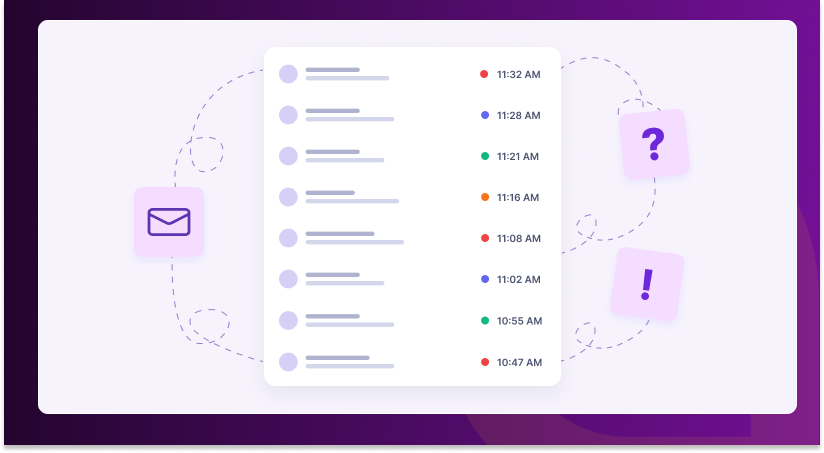
Conversations pile up in one flat queue: Whether it’s a customer asking about a refund, a lead asking about pricing, or someone reporting a bug, everything lands in the same list, in the same format, with no way to tell at a glance what’s urgent and what can wait.
Context gets lost between agents: When a chat gets reassigned or picked up by a different agent mid-conversation, that agent has to scroll back through the whole thread to understand what’s going on — wasting time and often leading to repeated questions that frustrate the customer.
High-value conversations don’t stand out: A returning customer with a large order and a first-time visitor asking a general question look identical in a standard queue. Without a way to flag priority, your best leads can wait just as long as anyone else — or longer.
Reporting becomes a manual chore: Want to know how many conversations were about a specific product last month, or how many came from a marketing campaign? Without any structure, someone has to go back and read through chats by hand.
Individually, none of these feel like a crisis. Together, over weeks and months, they add up to slower response times, missed opportunities, and a support team that’s busier than it needs to be.
What Smart Chat Organization Does
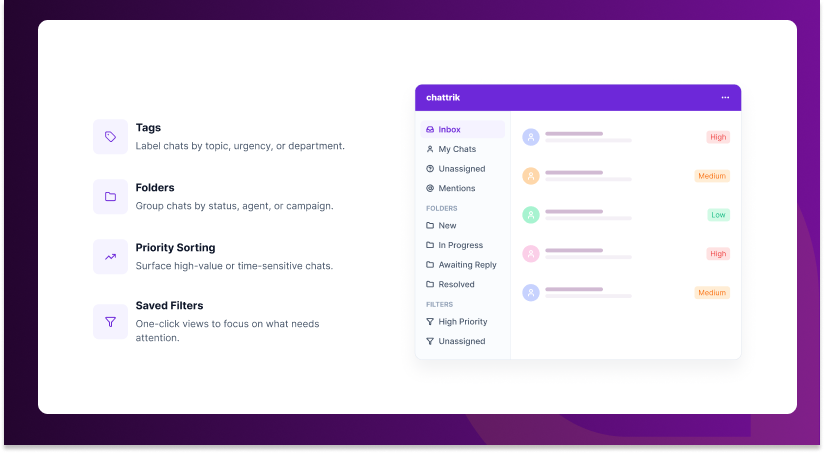
Instead of one long, undifferentiated queue of chats, your team now gets a structured system built around four core tools:
- Tags — Label conversations by topic, urgency, or department (e.g., “Billing,” “Bug Report,” “VIP Customer”) so anyone on the team can see context at a glance, without reading the entire thread first.
- Folders — Group chats by status, agent, or campaign, so nothing gets lost between shifts, handoffs, or busy periods. A chat can move from “New” to “In Progress” to “Resolved” without ever getting buried.
- Priority sorting — Automatically surface high-value or time-sensitive conversations, like chats from returning customers, high-intent sales inquiries, or unanswered messages nearing your SLA window.
- Saved filters — Create one-click views like “Unassigned + High Priority” or “Awaiting Customer Reply,” so agents spend less time hunting for what needs attention and more time actually helping.
Together, these turn a chaotic inbox into a workflow — the same way a well-organized email client with folders and filters beats a single unsorted inbox with thousands of unread messages.
Benefits: Why Organization Changes Everything
1. Faster First Response Times
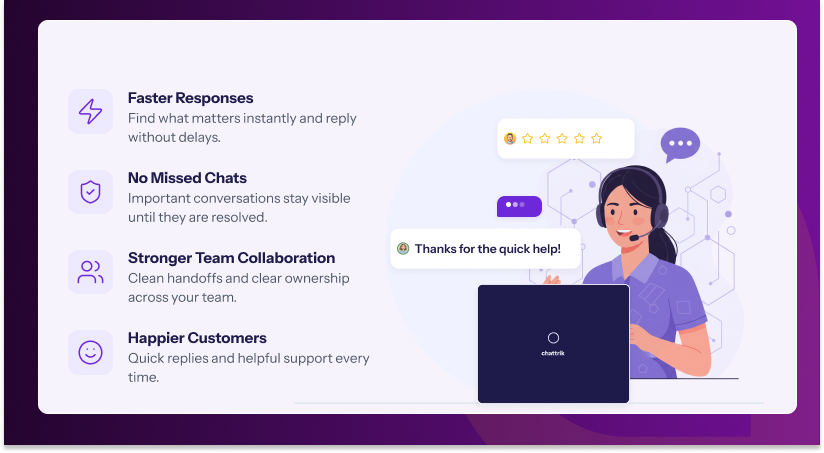
When agents don’t have to scroll or search to find what needs attention, they simply respond faster. Priority sorting alone can meaningfully cut the time between a customer message and an agent reply, especially during peak hours when queues get long and every second of searching adds up across dozens of conversations.
2. Fewer Dropped Conversations
Tags and folders act as a safety net. A chat tagged “Escalation” or moved to a “Follow-Up” folder doesn’t get lost in a busy queue — it stays visible until it’s resolved, rather than silently scrolling off the bottom of the list as new chats come in.
3. Smoother Team Collaboration
When multiple agents share one live chat website inbox, structure matters. Folders by department or tags by topic mean handoffs are clean: a sales chat gets routed to sales, a technical issue goes to support, without confusion, duplicate replies, or two agents accidentally answering the same customer at once.
4. Better Customer Experience
Customers don’t see your folders or tags — but they feel the result. Quicker replies, fewer repeated questions, and conversations that get resolved instead of forgotten all add up to a smoother experience that keeps them coming back and recommending you to others.
5. Easier Reporting and Insight
Tagged conversations double as data. Want to know how many chats were billing-related last month, or how many came from a specific campaign? With organized chats, that answer takes seconds, not a manual audit through hundreds of transcripts.
6. Reduced Agent Burnout
An overflowing, unsorted inbox is stressful to work from — every shift starts with the same feeling of being behind. Organization reduces that cognitive load, letting agents focus on solving problems instead of constantly triaging what to look at next.
7. Consistent Quality Across Shifts
When chats are organized by status and priority rather than just arrival time, quality doesn’t dip during shift changes, staffing gaps, or busy seasons. The system keeps context intact even when the people looking at it change.
The Numbers Behind Chat Organization
The case for organizing your live chat isn’t just operational convenience — the data backs it up:
- Businesses that respond to live chats within a minute see significantly higher customer satisfaction scores than those with slower response times.
- Poorly managed support queues are a leading cause of missed SLAs, with delayed or lost tickets accounting for a large share of customer complaints in support-heavy industries.
- Companies using structured, tagged support workflows report notable reductions in average handling time compared to teams working from a single flat queue.
- Live chat already converts better than most channels — some studies show live chat leads to higher conversion rates than email support — and that advantage only grows when chats are answered quickly and routed correctly.
- Support teams using saved filters and priority views report spending measurably less time per shift simply locating which conversation to respond to next.
The pattern is consistent across all of this data: the platforms winning on customer experience aren’t necessarily answering more chats — they’re managing the chats they already have more intelligently.
ROI: What Organization Is Actually Worth
It’s fair to ask whether a feature like this moves the needle on revenue, not just workflow. Here’s how it typically pays off in practice.
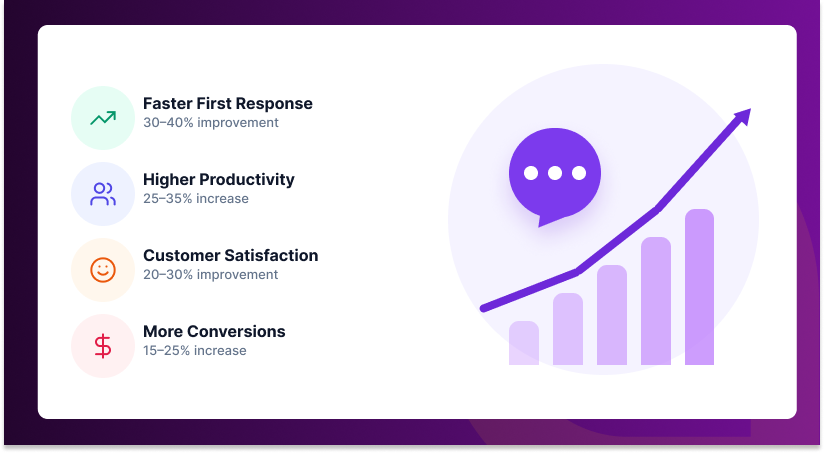
Lower cost per resolution: When agents spend less time searching for context and more time resolving issues, you handle more conversations with the same headcount. For a team of five agents saving even 10 minutes a day each on searching and re-reading chats, that’s over 20 hours of reclaimed agent time a month — without hiring anyone new or expanding your support budget.
Higher conversion from live chat leads: Sales-related chats tagged and prioritized correctly get faster responses, and speed is directly tied to conversion. A visitor asking about pricing who gets an answer in under a minute is far more likely to convert than one who waits ten — and that gap widens the longer a lead sits unanswered in an unsorted queue.
Reduced churn from support friction: Customers with unresolved or forgotten issues are a churn risk. Folders that keep “Awaiting Reply” and “Escalated” chats visible reduce the number of conversations that quietly go cold — and even a small reduction in churn compounds significantly over the course of a year, especially for subscription-based businesses.
Better use of existing tools and headcount: You don’t need new software, new integrations, or a new hire to get these gains — it’s the same website live chat you’re already running, working smarter with the conversations you’re already having. That makes the ROI on chat organization unusually high relative to its cost: there isn’t one.
Fewer escalations and complaints: When priority conversations are visibly flagged instead of buried, fewer of them turn into formal complaints, refund requests, or public reviews — each of which carries its own cost in time, reputation, and sometimes revenue.
Put simply: chat organization doesn’t add cost. It removes waste — wasted time, wasted leads, and wasted goodwill — from a process you’re already running every day.
Who Benefits Most
While every team handling live chat volume will see gains, a few types of businesses tend to benefit the most from Smart Chat Organization:
- Growing support teams that have outgrown a simple shared inbox and are starting to feel the strain of higher volume.
- Multi-department setups where sales, support, and billing all come through the same live chat website widget and need to be routed correctly.
- Businesses running multiple campaigns or product lines, where knowing which chats came from where is valuable for both service and reporting.
- Teams working across shifts or time zones, where handoffs need to preserve context automatically instead of relying on notes or memory.
If any of that sounds like your team, the setup described below takes only a few minutes and starts paying off almost immediately.
Getting Started
Smart Chat Organization is available now inside your Chattrik dashboard. To set it up:
- Create your first set of tags based on how your team already talks about chats internally (department, urgency, or issue type).
- Set up two or three folders to start — you can always add more as patterns emerge over the following weeks.
- Turn on priority sorting so high-value or time-sensitive chats surface automatically without anyone having to flag them manually.
- Save a filter or two for the views your team checks most often, like “Unassigned” or “High Priority.”
- Review your tags and folders after the first week and adjust based on what’s actually useful in practice — most teams refine their setup once they see it in action.
Most teams see a noticeably tidier inbox within the first day, and measurable time savings within the first week of regular use.
Ready to Bring Order to Your Live Chat?
If your team is spending more time managing the inbox than helping customers, it’s time for a change. Try Smart Chat Organization on Chattrik today and see how much smoother — and faster — your website live chat can be.
 Table of Content